

We sat down with one of our students, Harold U., to share more about the app he developed, FlipScan. We want to give you an idea of the depth and breadth of who is in our learning community. This interview is part of ongoing learner interviews with Qwasar students and alumni.
Tell us more about your app!
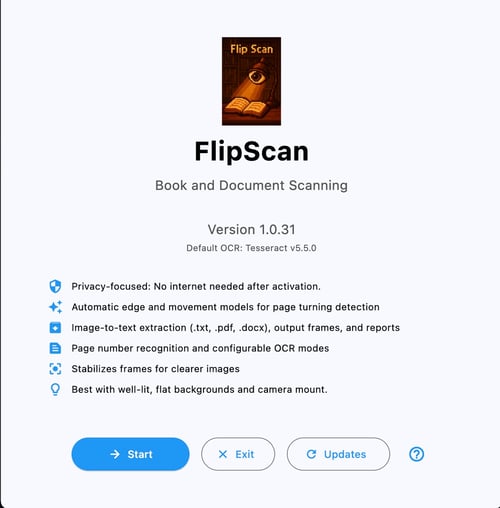
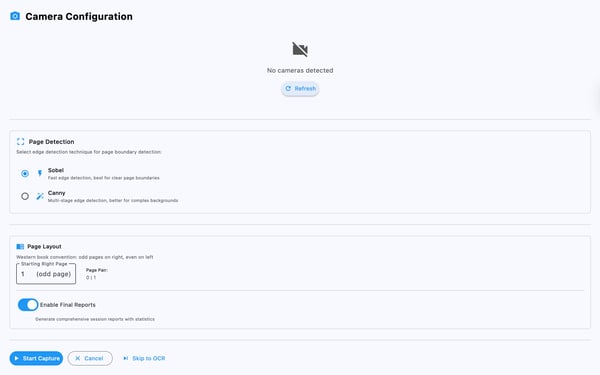
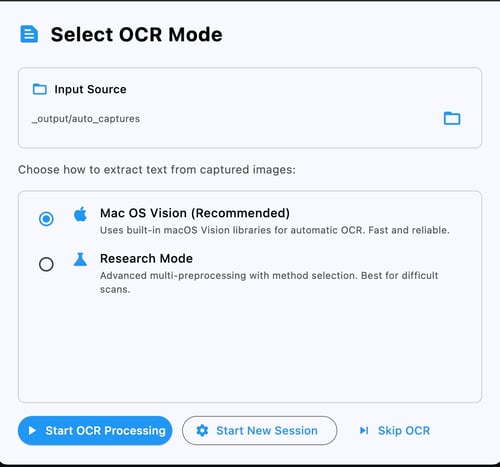
FlipScan is an automatic book scanner. It works by connecting to your camera device and processing the frames, and is best used with a tripod or mount, looking at the book. It utilizes lightweight and fine-tuned AI models to detect when a book or page is there, when the pages turn, and how clear or unobstructed it is. Pictures are taken of the pages when all of the quality gates are met, and then the app waits for another page turn. It utilizes OCR to detect page numbers and arrange them in proper order. When you are done collecting pages, FlipScan will ask if you want to run the OCR to convert those pages into a TXT file. Currently, the app is bundled into an offline version, with all of the algorithms, OCR, and AI models put in one place.
What technologies or frameworks did you use, and why did you choose them?
I used Tesseract for the OCR and TensorFlow’s CNN image recognition models. I chose these because they are open-sourced, able to be used commercially, and have a large support network of developers.
How does your app recognize books?
The book and page recognition is handled by a fine-tuned CNN model.
What challenges did you face in making the app?
The biggest challenge is to continuously provide a set of rich features that users find valuable, worth the money, and do it all within a small time frame.
How does the app store or organize scanned book information?
The app is broken into 2 main parts: page/book sampling, where it scans or extracts the pages from a video stream, and the OCR pipeline, where images are converted and compressed into text.
Did you integrate any external APIs (like Google Books or Open Library)? If so, how?
Currently, I do not use external APIs such as Google Cloud OCR or Apple Vision. However, during model training, Project Gutenberg was used to feed raw images of books and pages into the models, along with my own images and augmented datasets.
.jpeg?width=647&height=183&name=Image%202-3-26%20at%2010.04%20AM%20(1).jpeg) How did you approach the user interface and overall user experience design?
How did you approach the user interface and overall user experience design?
The user interface is currently TK Interface. I chose this because it is reliable and lightweight. and excels at making dialogs and other interactive components that work across platforms. In the future, I would like to move on to a more comprehensive UI by using Flet.
What was the hardest technical issue you had to solve, and how did you fix it?
The hardest technical challenge was implementing a feature that draws a recognized region of the book or pages onto the live video frame. This was difficult because doing too many ML model inferences can be computationally expensive and slow down the app. I solved this issue by using only the final layer of the CNN model to recognize valid regions, and computing the maximum gradient loss to discard regions that do not have books or pages in them.
How did you test your app to make sure it works across different devices or scenarios?
I test the app by actively running it via command line and in its bundles and distributable form. Currently, it is built for Mac OS and should also work on Linux and Windows. The mobile version has not been implemented yet. I ensure that real-world lighting or variations are accounted for by using image acclimation strategies and background noise reduction techniques.
What are you most proud of in your app?
I am most proud that I can use this app to scan my books very quickly, and I hope it can help others do so as well.
What did you learn through building this app, technically or personally?
I have learned so much about startup software development. Many non-technical or non-coding aspects are just as important or more. At the end of the day, the user experience is most important. The code just makes that experience possible.
How do you see this project connecting to your future goals or interests in software development?
This was my first app that went from idea to distribution. I had to consider many aspects of software that were not familiar to me before, such as licensing, copyright, cybersecurity, etc.
How can we download your app?
I have a Mac OS bundled version for you to download (about 2.5 GB). Once you download it, you will need to remove non-Apple-signed restrictions (because I don’t have an Apple Developer account yet). But you can run the app normally after removing them with a command like ‘xattr -rc FlipScan.app’. I will provide you with a quick start guide or script as well as a Google Drive link to download it.
Here's a link if you want to check out FlipScan.
We are thankful for Harold’s time in developing this interview and sharing his insights and journey into creating his amazing app!